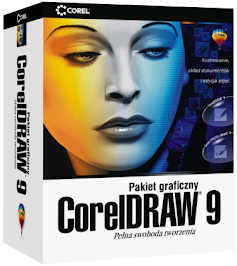
Corel Draw 9 – Best Graphic Designing & Editing Software
CorelDRAW 9 Download: Vector Graphics, Photo Editing & Print Design Suite

CorelDRAW 9 is a classic, lightweight graphic design and layout suite built for creating vector illustrations, print materials, and visual assets without heavy hardware requirements.
From visiting cards, logos, book covers, banners, and advertisements to photo retouching and vector art, it brings essential layout and bitmap editing tools into a single workspace.
01 Key Features of CorelDRAW 9
Designed for speed and simplicity, CorelDRAW 9 remains popular on legacy systems and print workstations for four core strengths:
02 Popular Uses of CorelDRAW 9
Filter by workflow category to see what you can produce with the suite:
03 Software & Archive Overview
| Software Name | CorelDRAW Graphics Suite 9 |
|---|---|
| Included Modules | CorelDRAW 9, Corel Photo-Paint 9, Corel R.A.V.E 2 |
| Primary Platform | Microsoft Windows (Legacy & Compatibility Mode) |
| Archive Format | Compressed RAR Archive (requires WinRAR or 7-Zip) |
Download CorelDRAW 9 Archive
Extract the RAR package to a local folder before running setup. Always scan downloaded archives with updated antivirus software.
Download Archive (MediaFire)05 Frequently Asked Questions
What tools are included in CorelDRAW 9?
CorelDRAW 9 bundles three main applications: CorelDRAW for vector illustration and print layout, Photo-Paint for bitmap image editing, and R.A.V.E 2 for vector-based animations.
How do I open the downloaded RAR file?
Install a free archive utility such as 7-Zip or WinRAR, right-click the downloaded .rar file, and select Extract Here before running the setup executable.
Can I combine Urdu text with CorelDRAW 9 designs?
Yes. Many print designers compose Urdu typography in InPage and export it as an EPS file to import directly into CorelDRAW 9 for posters, visiting cards, and book covers.